
Microsoft Power BI Course Certification
17900+ Learners 4.8/5 1345 Ratings
Eduapex™ Most Trusted for Power BI Course
The Eduapex™ Power BI Certification allows you to become a Certified Microsoft Power BI Expert. Become an Eduapex™ alumni and join a network of 123,000+ accomplished individuals globally.

Programs Key Features
Live Two-Way Classes
26 Hours of Instructor-Led Sessions
Capstone Projects
Job-Ready Portfolio of 2 Capstone Projects
Case Studies
3+ Industry Case Studies
Gold Memebership
Get 1-Year Gold Membership of Eduapex Data Science & Analytics Academy
Interviews
Mock Interviews and Hackathons
Projects
2+ Assignments and Mini Projects
Placement
Get 3 in 1 placement support with Placement Drives, Premium access to the Job Portal, and Personalized Job Consulting.
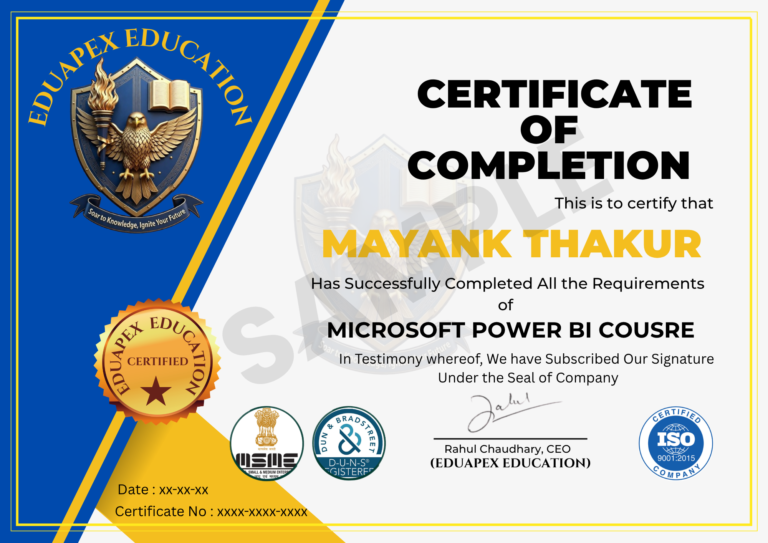
Hallmarked Certificate
Earn Certification of Course from Eduapex, Govt of India recognized .
Job Assistance
Get Guaranteed Job Placement Assistance
Next Cohort Starts Every Week
Microsoft Power BI Career Transition
| 70%
Average Salary Hike
| 8 LPA
Highest Salary
| 150 %
Maximum Salary Hike
| 300+
Access the best Jobs in Industry
Power BI Course Curriculum
The significance of business intelligence, tools and technologies, and the connection between business intelligence and data warehouses are all covered in this Module.
- Introduction to Business Intelligence
- The importance of Business Intelligence
- The relation between Business Intelligence and Data Warehouse
- Tools and Technologies in Business Intelligence area
- Quiz
- The candidate will learn about Power BI architecture in this lesson, as well as an introduction to Power BI desktop and Power BI in Excel.
- Power BI Architecture
- Power BI introduction and overview
- Introduction Power BI desktop and Power BI in Excel
- Quiz Module
This session will teach the candidate how to use Power BI Desktop to connect to CSV, Excel, Text, SQL Server, Webpages, and Direct SQL Queries.
- Connect to CSV files in Power BI Desktop
- Connect to Excel in Power BI Desktop
- Connect to text in Power BI Desktop
- Connect to SQL Server in Power BI Desktop
- Connect to a Web page from Power BI Desktop
- Connect to Direct SQL Query in Power BI Desktop
- Quiz
Power Query, Query Editor, Editor interface, Column Transformations, Data Type, Adding Columns, Number column and date and time Calculations, and Built-in methods are all covered in this module.
- Power Query Introduction
- Query Editor
- Query Editor Interface
- Column Transformations
- Data Type
- Adding Column
- Text Transformations
- Number Column Calculations
- Date and Time Calculations
- M built-in functions
- Quiz
This module will teach the candidate advanced calculations using Calculate Functions, DAX, computed Columns and Tables, Row Context and Set Context, and Time Intelligence Functions.
- Introduction to DAX
- Calculated Columns
- Measures
- Calculated Tables
- Row Context vs Set Context
- Advanced calculations using Calculate functions
- Time Intelligence Functions
- Quiz
- This module will teach the candidate how to create reports in Power BI, use the report editor, add a page, add a filter, save the report, discuss filtered and highlighting, analyze in Excel, open a Power BI in Report Reading View, modify the way the visuals interact in a report, interact in Editing View, rename a report, duplicate, and delete a page from Power BI Report.
- Create a new Power BI report
- The report editor in Power BI
- Add a page to a Power BI report
- Add a filter to a report in Power BI
- Save a report in Power BI
- About filters and highlighting in Power BI reports
- How to use report filters
- Analyze in Excel
- Change how visuals interact in a report
- Open a Power BI report in Reading View
- Go from Reading View to Editing View in Power BI
- Interact with a report in Editing View in Power BI
- Aggregates (sum, average, maximum, etc.) in Power BI
- Rename a report in Power BI
- Page display settings in a Power BI report
- Duplicate a report page in Power BI
- Delete a page from a Power BI report
- Rename a report page
- Quiz
- The candidate will learn about Power BI reports and visualization in this module, including types and custom visualization, downloading a custom visualization from a gallery, color formatting, sorting charts in Power BI, drilling down in visualization, histograms, basic area charts, combo charts, doughnut charts, enhanced scatter charts, etc.
- Types of visualization in a Power BI report
- Custom visualization to a Power BI report
- Download a custom visual from the gallery
- Getting started with color formatting and axis properties
- Change how a chart is sorted in a Power BI report
- Move, resize, and pop out a visualization in a Power BI report
- Drill down in a visualization in Power BI
- Histograms
- Basic Area chart
- Combo Chart in Power BI
- Customize visualization title, background, and legend
- Customize X-axis and Y-axis properties
- Doughnut charts in Power BI
- Enhanced Scatter charts in Power BI
- Funnel charts in Power BI
- KPI Visuals
- Radial Gauge charts in Power BI
- Scatter Charts in Power BI
- Slicers in Power BI
- Tree Maps in Power BI
- Waterfall charts in Power BI
- Quiz
- This module will teach the candidate about Power BI dashboards, how to make them, how to pin a tile, how to use Power BI publisher for Excel, data alerts, how to add images and videos, how to build an amazing Power Dashboard, how to create a featured dashboard, and how to add an image to a dashboard.
- Create a Power BI dashboard
- Dashboard tiles in Power BI
- Pin a tile to a Power BI dashboard from a report
- Power BI publisher for Excel
- Pin an entire report page to a Power BI dashboard
- Data alerts in Power BI service
- Add an image, text box, video, or web code to your dashboard
- Edit a tile — resize, move, rename, pin, delete, add hyperlink
- Tips for designing a great Power BI dashboard
- Print a dashboard, print a dashboard tile, print a report page
- Display dashboards and reports in Full Screen mode (TV mode)
- Display a dashboard tile in Focus mode
- Featured dashboards in Power BI
- Create a phone view of a dashboard
- Add an image to a dashboard
- Quiz
- This session will teach the candidate how to set up scheduled refreshes, refresh datasets created from Power BI Desktop files (local and cloud), and refresh datasets created from Excel workbooks (local).
- Configure scheduled refresh
- Refresh a dataset created from a Power BI Desktop file – local
- Refresh a dataset created from a Power BI Desktop file – cloud
- Refresh a dataset created from an Excel workbook – local
- Disable privacy settings
- Quiz
- Business Communication
- Preparation for the Interview
- Presentation Skills
- Write a Perfect Resume
It is a versatile 9-in-1 program that includes various aspects of competency development and career development.
- Training: 100 Hours of Two-way Live Online Interactive Classroom Session
- Projects: Facility to undergo projects in related fields of Digital Marketing, Web Analytics, etc.
- Masterclass: Access to 52+ Masterclass Sessions for essential soft skill development
- E-Learning Free access to E-learning Portal and future updates. Get access to PPTs, Projects, Quizzes, self-paced Video based learning, a question bank, a library, practice tests, final assessment, a forum, and doubt sessions.
- Student Engagement & Events: Free Access to #AskEduapex Hackathons and Competitions & many other facilities from Eduapex
- Membership: Get 1-Year Gold Membership of Eduapex Digital Marketing Academy for the Digital Marketing Course
- Certification: Get course completion Certification of Digital Marketing from award-winning Institute Eduapex recognized by Govt. of India
- Placement Support: Get 3 in 1 Placement support through Placement Drives, Premium access to Job portal & Personalized Job Consulting
- Internship Support: Get a guaranteed Internship with Eduapex and in top MNC’s like J.P. Morgan, Accenture & many more via Forage.
- Earn the Prestigious Eduapex Alumni status and become one of the reputed 123000+Alumni across the globe
- 100% Guaranteed Internship with Eduapex or partner firms
- Weekly job opportunities offered
- Experience Industry Projects during the training
Become a part of the Elite Digital Marketing Academy of Eduapex and join the 123000+ large Alumni Network Worldwide.
Skills You'll Master
Data Modeling
Data Visualization
Data Transformation
Scheduling Data Refresh
Number Column Calculations
Data Reporting
Tools Covered
Job Profiles
Power BI Admin
Business Intelligence Developer
Power BI Trainer
Data Visualization Specialist
Data Engineer
Database Administrator
Power BI Developer
Data Scientist
Data Analyst

Microsoft Power BI Certification
What you'll Learn in this Course
Advanced Mapping Techniques
Relationship between Business Intelligence and Data Warehouse
Creating and Designing Power BI Dashboards
Architecture of Power BI
Various Functions of Data Modelling
Features of Power BI Reports
Career Services

Placement Drives
We are committed to assisting our students throughout their careers; join us and we will embark on a journey to a successful and satisfying career together...
Personalized Job Consulting
Share the type of job you're looking for, and we'll send you verified job postings that match your qualifications...
Premium access to Eduapex™ Job portal
Get exclusive access to our exclusive employment platform and apply for jobs. More than 940 hiring partners, including prominent start-ups and product firms, are hiring our students. Mentored assistance with job searches and relevant positions for your career.
Grab Your Dream Job Like Our Alumni

























Many more...
Our Placed Learners

































Posted on GoogleTrustindex verifies that the original source of the review is Google. Today I have received my sap fico certificate, I am now confident to get a job just because of trainer Ms. Geeta Malik.Thankyou ma'am and team eduapex.Posted on GoogleTrustindex verifies that the original source of the review is Google. My decision was right to do SAP Fico course from Eduapex. It worth every thing , helpfull staff and knowledgeable trainer Ms Ritika. Helped with assignments and doubts.👍👍Posted on GoogleTrustindex verifies that the original source of the review is Google. I did my Advanced Digital Marketing from Eduapex,Noida and it was a wonderful learning experience. The teaching and training team has been very supportive and have gained all the skills necessary for career progression. Thank you Ridhima ma'am for your apt guidance and support!Posted on GoogleTrustindex verifies that the original source of the review is Google. Wonderful place so do digital marketing course, perfect training and classesPosted on GoogleTrustindex verifies that the original source of the review is Google. best for Digital marketing,kuddos learnt many skills with precise, nicePosted on GoogleTrustindex verifies that the original source of the review is Google. Hi there, i m from Madhaya pradesh, and did a course of digital marketing from this company, and I ma atleast satisfied with everything👍👍Posted on GoogleTrustindex verifies that the original source of the review is Google. Had an awesome experience while doing Digital Marketing course from Eduapex .after the course my concepts were so clear and i feel very confident.Posted on GoogleTrustindex verifies that the original source of the review is Google. The Analytics Certification at EDUAPEX was a great investment in my career. Under trainer Prateek Sharma, the course commenced on Feb15, 2024. The fee of ₹21,000 was worth every rupee for the depth of knowledge I gained. I now feel confident in my analytical skills.Posted on GoogleTrustindex verifies that the original source of the review is Google. I recently completed the SAP FICO course from Eduapex Noida , and I must say, it was an excellent learning experience. The trainers are highly knowledgeable and provide in-depth explanations of every concept. The course structure is well-organized, covering both theoretical and practical aspects, which made it easy to understand and apply.Posted on GoogleTrustindex verifies that the original source of the review is Google. Load more
Microsoft Power BI Course Reviews
Frequently Asked Questions
Why pursue a career in business intelligence?
The need for BI specialists is predicted to increase by up to 32% by 2026, the most of all professions, according to the US Bureau of Labor Statistics! Isn’t that sufficient justification?
What is the duration of the Power BI ?
The online and classroom courses follow the same framework and guidance, and they will be completed after 26hours of active training in various facets of Power BI.
What makes Eduapex's Power BI certification special?
To begin with, Eduapex created the Power BI certification course in accordance with current industry standards. The institute includes a group of seasoned instructors and experts from the business sector who assist in creating the course’s structure and content.
Is it worthwhile to take the Power BI Certification Course?
Yes, becoming certified in Power BI is highly desirable since it would help one understand every facet of data and its life cycle. Additionally, it provides you with an analytical viewpoint, boosting your self-assurance.
Why choose Eduapex?
Eduapex ranks amongst the Top Edtech Companies with 1,23,000+ Alumni, 370+ B2B Clients, 170 + Award Winning Trainers, and 200+ Courses.
EduApex is a global leader in education, offering a diverse range of transformative programs that empower individuals to succeed in an increasingly complex and interconnected world. Our comprehensive portfolio includes certification programs, postgraduate, degree, and doctorate programs that cater to the evolving needs of industries and professionals worldwide.
With a strong commitment to innovation, excellence, and academic rigor, EduApex has established itself as a trusted brand in global education. Our faculty comprises renowned experts and industry thought leaders who deliver high-quality education that is both relevant and practical.
At EduApex, we are dedicated to:
– Fostering a global community of scholars and professionals
– Driving innovation and entrepreneurship
– Providing education that is accessible, inclusive, and impactful
Our programs are designed to equip learners with the knowledge, skills, and competencies required to thrive in a rapidly changing global landscape. Whether you are a professional seeking to upskill, a student looking to pursue higher education, or an organization aiming to develop your workforce, EduApex offers a range of solutions that can help you achieve your goals.
123,000+
Students Trained
470+
Live Batches Every Month
940+
Hiring Partners
89%
Reported Career Benefits
What makes Us Unique

All-In-One Program
Tailored Training

Certified & Experianced Instructors

Live Interactive Classes

Access To Recorded HD Videos

Gold Membership

Flexible Schedule
MasterClasses

Doubt Clearing Sessions
Our Accrediations & Affiliations